

The wish list is the easy part. Then you’re checking three stores, trying to remember which version they asked for, and wondering which package will show up on time.
Here’s a practical way to hand off some of that work. Give AI the wish list, have it organize the items, and ask it to compare what you’ll actually pay. You still decide what to buy.
Watch the demo
See how the wish list becomes a comparison and shopping tracker in 22 seconds.
Start with three items
Take a photo of a list or paste in the text. Crop out names, addresses and other personal details. Let AI read the list back to you before it shops. If the size, model or handwriting is unclear, confirm it rather than letting AI guess.
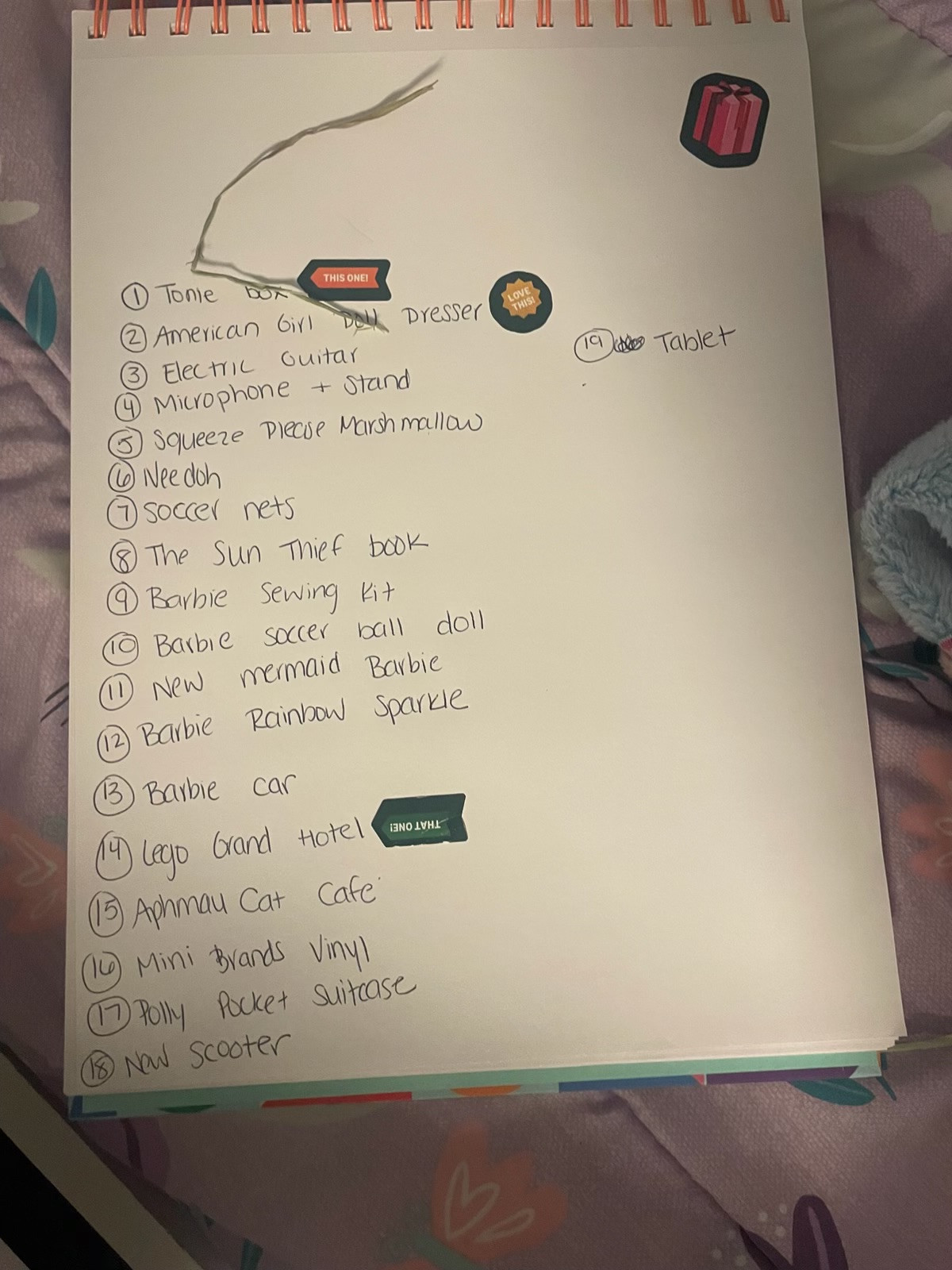
Ask for a comparison from reputable U.S. retailers. A low sticker price can disappear once shipping is added. Ask for the item price, shipping, and estimated tax where available. Give your ZIP code if you want local pickup options, and set a latest acceptable pickup or delivery date. Recheck the seller’s checkout page before buying.
Keep the list useful after the first search
Use a spreadsheet with one row per item. Mark what you’ve bought and what still needs attention. If your AI account can actually run a scheduled search, set an optional three-day recheck for items you still need. Start with a test run and confirm that it can reach the retailers. Otherwise come back to the same list and ask for a fresh comparison.
For something you’ve already ordered, the simplest option is a private tracker with the carrier and tracking number, or a short status you copy from the carrier. You don’t have to give AI access to your entire shopping inbox.
Try it on three items. If it saves you from bouncing between browser tabs this week, add the rest.
Copy and paste prompt
You are my AI Holiday Helper. Turn my holiday wish list into a private shopping tracker. Do not buy anything, place a reservation, log in to a retailer, subscribe, send a message, or connect my inbox.

1. Ask for a cropped photo or pasted list, my total or per-item budget, ZIP code if I want pickup, my need-by date, whether used or refurbished is acceptable, and whether exact matches or substitutes are allowed. Ask only about missing information. Do not ask for a full address, card, passwords, names, or other identifying details. Read back the exact list and flag uncertain sizes, model numbers or handwriting before researching.

2. Use reputable U.S. retailers; distinguish retailer-sold from marketplace listings and flag unfamiliar sellers. For each confirmed item, compare up to three current, in-stock exact matches or clearly labeled substitutes. Include retailer, exact version, price, shipping/fees, estimated tax if available, total known cost, pickup store and timing if offered for my ZIP, delivery window, return caveat, direct source link and Eastern date/time checked. Never guess stock, dates, coupon eligibility or tax. Clearly state if tax/fees are missing and distinguish “lowest verified delivered cost” from “earliest pickup that meets my date.”

3. Return a decision-ready summary and a spreadsheet-ready table: item, variant, quantity, priority, status, retailer, item price, shipping/fees, estimated tax, known total, pickup/delivery window, checked time, link and notes. Offer CSV or a Google Sheet only if the tool is available and I request it. Mark anything unverified and leave unknowns blank or labeled. Do not create a public sheet. Keep a short change log on updates.

4. Only if I ask and scheduling and search are confirmed in my environment, propose a recheck every three days for unpurchased items, ending on my need-by date or after I mark the list complete. In the task use only the confirmed item specs and ZIP if needed, not uploaded files. Notify me only for a meaningful verified price drop, change in stock, missed date or better pickup. If a site is inaccessible, flag it, do not repeat an old price as current. If scheduling cannot be confirmed, give me the exact words to run it manually.

5. After purchase, show me a separate private tracking table. Default to manual carrier/tracking number or a pasted status and promised arrival. Only if I expressly choose a connected email option, use the minimum relevant receipts or shipping notices through authorized access. Do not ask for logins or put tracking numbers in a broadly shared sheet. Verify accessible carrier status when possible and flag delivery changes; never invent an update.
AI Holiday Helper demo transcript
Don’t spend hours hunting for the best holiday deal. Let your AI Holiday Helper do the legwork.
Give it your wish list, budget, and ZIP code. Ask it to compare prices with shipping, check nearby pickup, and put the best options and links in a tracker.
You check the deal before you buy.
Follow or subscribe for more practical AI tips that make busy family life a little easier.